
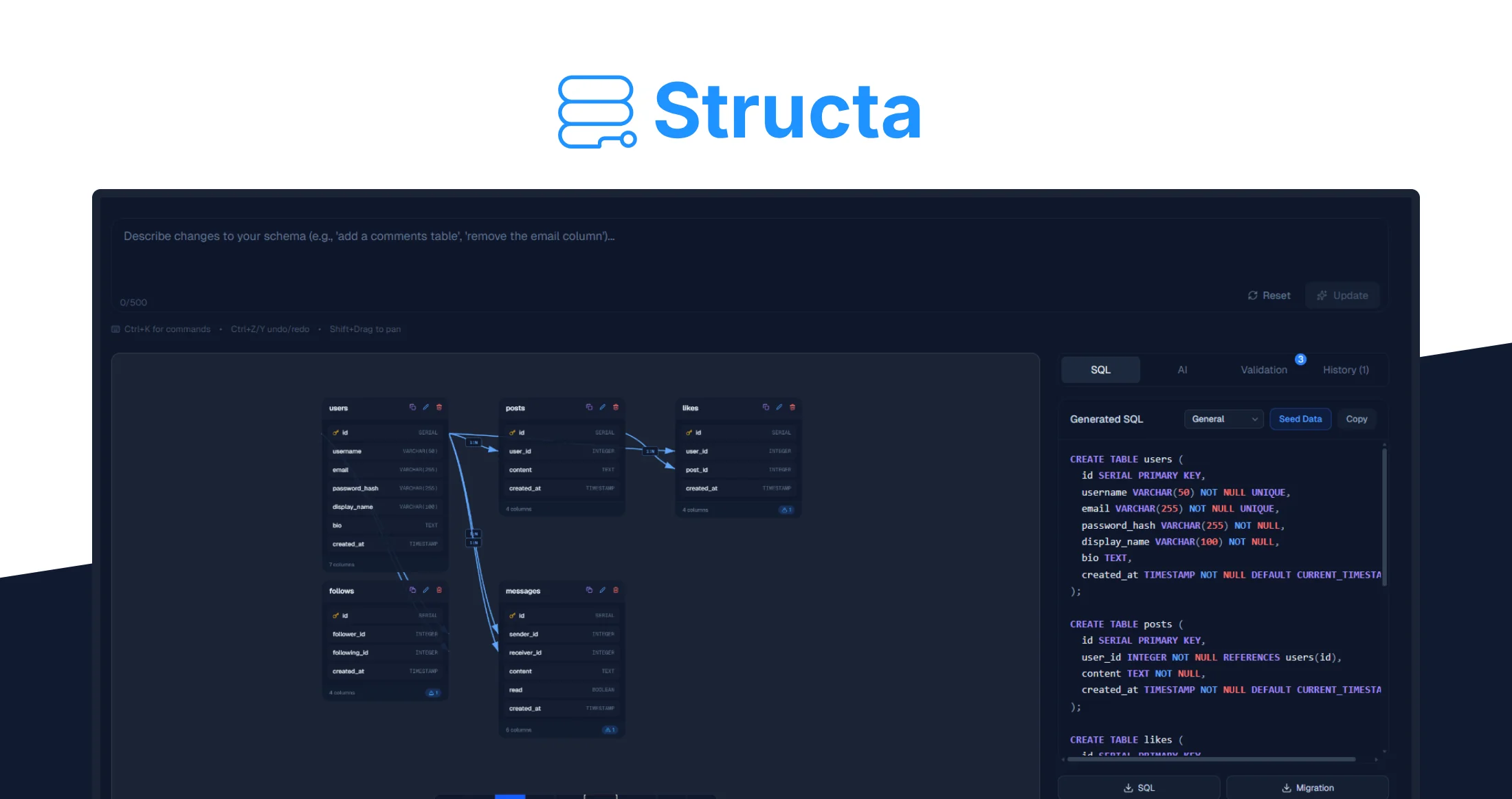
Structa – Low Price – Exclusive Lifetime Deal
Why Structa?
Most developers design databases the hard way.
They manually write SQL, debug broken AI output, or switch between diagram tools, SQL editors, and ORM converters.
Generic AI tools like ChatGPT can generate SQL, but they often create:
Structa solves this by being purpose-built for database design.
Instead of a general AI assistant, Structa provides a system trained specifically to generate valid, normalized, production-ready schemas.
Key advantages include:
-
Validated schema generation with correct relationships and constraints
-
Visual editing instead of re-prompting AI repeatedly
-
Export in multiple formats including SQL and Prisma
-
One-click deployment to Supabase
-
Version history for tracking schema changes
-
AI Fix that automatically repairs broken schema logic
Structa isn’t another AI wrapper. It’s an end-to-end database design workflow.
How It Works
Structa turns database design into a simple, streamlined workflow. Instead of writing SQL manually or stitching together multiple tools, you move from idea to production-ready schema in just a few steps.
1. Describe Your App
Start by describing your application in plain English.
For example:
“A SaaS project management app with users, teams, tasks, comments, and permissions.”
Structa analyzes your description and automatically generates a structured database schema that includes:
This gives you a clean starting point without writing any SQL.
2. Review the Generated Schema
Structa produces a normalized, production-ready database structure.
You can instantly see:
The schema is validated before export, so it’s ready for real-world use.
3. Edit Visually
Need to make changes? You can adjust the schema directly using the visual editor.
With the drag-and-drop interface you can:
This eliminates the need to rewrite SQL or regenerate prompts.
4. Export or Deploy
Once your schema is ready, Structa lets you export it in multiple formats:
-
SQL
-
Prisma schema
-
migration files
-
ER diagrams
You can also deploy directly to Supabase with a single click, turning your database design into a working backend almost instantly.
Key Features That Turn Ideas into Real Databases

-
AI Schema Generator
Describe your backend in plain English and generate a fully structured database schema in seconds. -
Visual Schema Editor
See your database architecture visually and modify tables and relationships using a drag-and-drop interface. -
Production-Ready SQL
Structa generates validated SQL including: -
AI Fix Engine
If a schema has logical issues or missing relationships, the AI Fix tool repairs it instantly. -
Export Anywhere
Export your database design to: -
Supabase Deployment
Deploy directly to Supabase with automatic migrations and iterative schema updates. -
Version History
Track schema changes and revert versions whenever needed.

Who’s Structa Best For?
Structa is designed for developers and builders who want to move from idea to backend infrastructure quickly.
-
Indie Hackers
Perfect for building MVPs without spending hours designing database structures. -
Backend and Full-Stack Developers
Generate validated schemas faster than writing SQL manually. -
Technical Founders
Rapidly prototype SaaS products without deep database engineering. -
Freelancers and Agencies
Deliver backend architecture for client projects more efficiently. -
Hackathon Participants
Design production-ready database schemas in minutes instead of hours.
